

The EU Deforestation Regulation (EUDR) has reshaped how businesses handle sourcing and traceability of certain goods. At the heart of this regulation lies the EUDR Traces system – a powerful tool designed to ensure that products reaching the EU market are deforestation-free. But with the complexity of international supply chains, how do you ensure that your products comply with these rigorous standards? Let’s dive into the EUDR Traces system, how it works, and why getting familiar with it is crucial for avoiding costly compliance issues down the road.
What is the EUDR Traces System?
The EUDR Traces system (Trade Control and Expert System – New Technology) is the European Union’s official tool for managing and verifying compliance with the EU Deforestation Regulation. It provides a platform for businesses to submit Due Diligence Statements (DDS), which are necessary to prove that products being imported into the EU are not linked to deforestation after 2020.
While the system itself isn’t new, the EU has repurposed it to handle EUDR-specific tasks. Previously, it was used mainly for plant and animal health regulations. Now, Traces NT has been adapted to ensure that goods like cocoa, coffee, timber, palm oil, and soy are sourced from deforestation-free land.
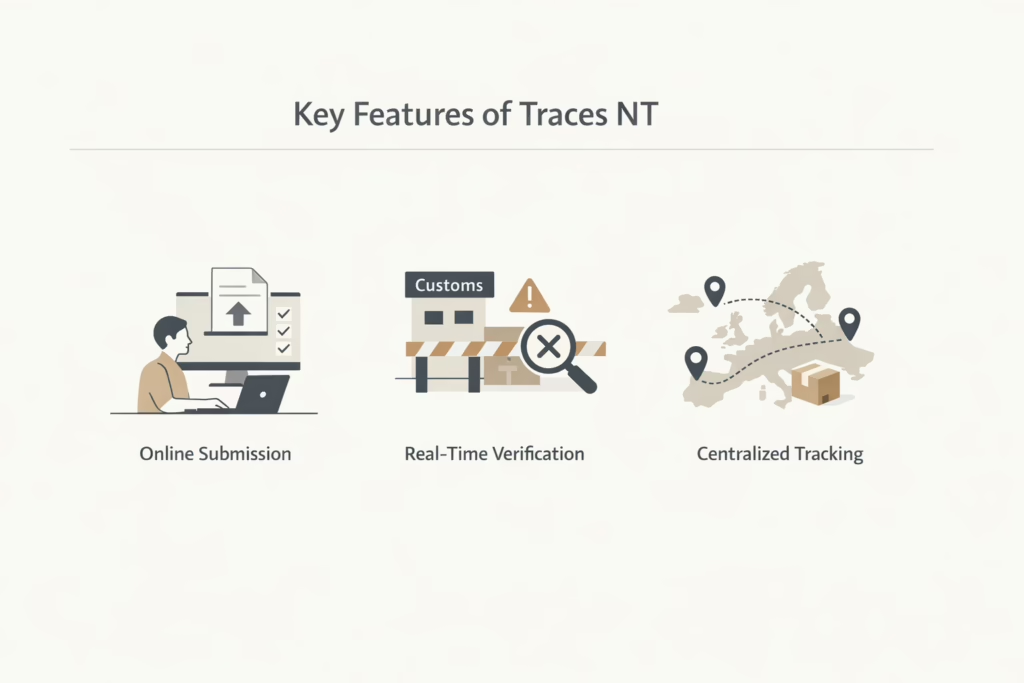
Key Features of Traces NT
Here’s an overview of its key features that help businesses stay compliant and efficient:
- Online Submission: Businesses submit their DDS through the Traces NT platform, detailing their product’s sourcing and proving compliance with the EUDR.
- Real-Time Verification: The system ensures that shipments with incomplete or incorrect DDS data will not pass through customs.
- Centralized Tracking: Traces NT enables real-time tracking of products entering the EU, ensuring that each product complies with the deforestation-free requirement.
By using Traces NT, companies can streamline the compliance process, reducing the risk of delays, fines, and reputational damage.
Why Traces NT is Crucial for EUDR Compliance
While the EUDR sets ambitious goals for tackling deforestation, its real-world implementation requires a system that can manage a massive amount of data across different industries and supply chains. That’s where Traces NT comes in. It’s the central platform that connects the dots between businesses, regulators, and customs authorities.
The key reason why Traces NT matters is its connection to customs enforcement. Without submitting a valid DDS through the system, goods will be stopped at the border. This direct link to customs means that errors in DDS submissions can lead to costly delays, audits, and potential penalties. Here’s why Traces NT should be a priority for businesses involved in importing or exporting EUDR-regulated goods.
Importance of Traces NT in EUDR Compliance
By understanding how Traces NT fits into the broader EUDR framework, businesses can take proactive steps to avoid costly mistakes and ensure their shipments comply with the regulation. Here is why it is important:
- Non-compliance is costly: Without accurate submissions, goods can be delayed, shipments blocked, or even seized.
- Accuracy is paramount: If any part of the submission is wrong, even a minor detail, the entire shipment could be jeopardized.
- Traceability and transparency: The system ensures transparency in the supply chain by making geolocation and sourcing data easily accessible for audits and inspections.
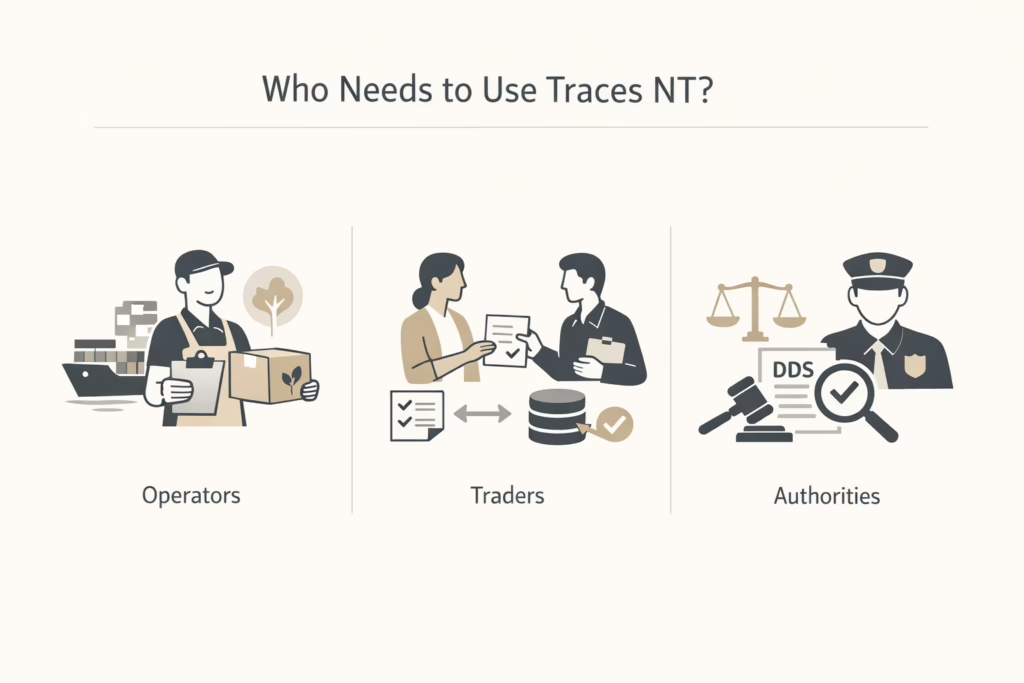
Who Needs to Use Traces NT?
The EUDR Traces system is primarily intended for businesses involved in the trade of regulated goods, specifically those dealing with deforestation-linked commodities. However, it’s important to understand the roles of different stakeholders within the supply chain and their responsibilities. Key stakeholders in traces NT compliance:
Operators
These are the businesses that first place the regulated products on the EU market. They are responsible for submitting the DDS and ensuring that their goods meet all the necessary criteria.
Traders
While traders don’t always submit DDS themselves, they are required to ensure that their suppliers have done so. They must keep records and ensure that the data is traceable.
Regulatory Authorities
Customs and other relevant authorities use Traces NT to verify the validity of DDS submissions, conduct audits, and enforce compliance.
Who is Responsible for Submitting the DDS?
The responsibility for submitting Due Diligence Statements (DDS) in the Traces NT system is shared across different stakeholders within the supply chain.
- EU Importers and Non-EU Exporters: These companies are responsible for submitting the DDS into the Traces NT system.
- Downstream Operators and Traders: These entities must ensure compliance by maintaining accurate records, verifying DDS submissions from suppliers, and passing this information down the supply chain.
By understanding the roles of each player in the process, businesses can better coordinate efforts to ensure seamless compliance.
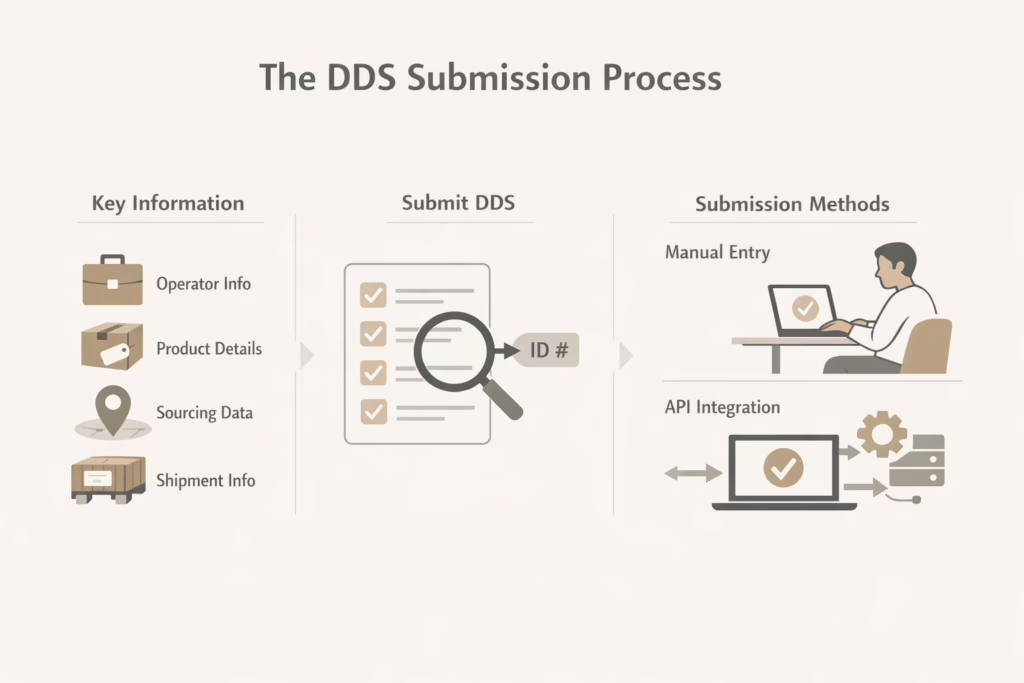
The DDS Submission Process
Submitting a Due Diligence Statement (DDS) through the Traces NT system is a crucial step in ensuring compliance with the EUDR. The process involves providing detailed information about the product, its sourcing, and its legal compliance with both local laws and the EU’s deforestation criteria.
Key Information for DDS Submission
This include:
- Operator Details: Business name, contact information, and identifiers.
- Product Information: Harmonized System (HS) codes, product type, weight, and volume.
- Sourcing Data: Geolocation coordinates (e.g., GPS coordinates) of where the product was grown or harvested.
- Shipment Information: Batch IDs and shipment details to link the DDS directly to the product being moved.
Businesses must collect this data accurately and submit it via the platform to receive a valid reference number. A DDS can only be submitted after ensuring that all required fields are properly filled in.
DDS Submission Methods
Manual submission is ideal for small shipments and involves directly entering data into the Traces NT system through the web interface. However, it requires attention to detail as errors can easily slip through, and the system does not retain past submissions.
API integration is common for larger businesses that deal with frequent shipments and will benefit from integrating their internal systems (e.g., ERP systems) with Traces NT. The system will automatically generate and submit DDS, minimizing human error and saving time.
Each method has its pros and cons, but using the right approach for your business size and shipment volume is key to staying compliant.
Best Practices for Managing Traces NT Compliance
EUDR compliance doesn’t end once the DDS is submitted. To avoid disruptions in the supply chain and ensure that data is always up to date, businesses should implement the following best practices for managing their Traces NT submissions:
- Keep records: Implement a system to organize and retrieve this information quickly in case of an audit.
- Verify geolocation data: Double-check the coordinates before submission to avoid potential issues with regulatory authorities.
- Conduct regular audits: Regularly review and audit your DDS submissions to ensure that all necessary data is accurate and up to date.
- Engage suppliers early: Work with your suppliers to gather necessary data well in advance.
- Train staff on compliance: Make sure all relevant teams are well-trained on the requirements and processes for DDS submissions.
By staying proactive and ensuring that all stakeholders are aligned, businesses can make the compliance process smoother and less prone to mistakes.
Conclusion
Navigating the EUDR Traces system is a critical part of ensuring that your business complies with the EU’s deforestation regulations. While the process can be complex, understanding the roles, responsibilities, and best practices for using the Traces NT platform can significantly reduce the risk of non-compliance. By submitting accurate and timely Due Diligence Statements, businesses can maintain transparency, streamline their operations, and avoid costly delays.
With the right preparation and attention to detail, businesses can meet EUDR requirements without disruption. And while Traces NT is just one piece of the puzzle, integrating it into your broader compliance strategy will ensure that your products remain compliant and that your business stays ahead of regulatory changes.
FAQ
1. What is the EUDR Traces system, and why is it important for my business?
The EUDR Traces system is the EU’s official platform to ensure compliance with the EU Deforestation Regulation (EUDR). It allows businesses to submit Due Diligence Statements (DDS) that prove their products are deforestation-free and legally sourced. It’s critical for any company importing or exporting certain commodities (like cocoa, coffee, soy, or palm oil) to use this system to avoid customs delays, fines, and other compliance issues.
2. Who needs to submit a DDS in the Traces NT system?
If you’re an operator placing a regulated product on the EU market, you’re responsible for submitting a DDS. This applies to both EU-based importers and non-EU exporters. Traders don’t usually submit DDS themselves, but they must verify that their suppliers have done so. Essentially, anyone involved in the supply chain should be ensuring proper documentation is in place to avoid issues down the line.
3. How do I submit a DDS in the Traces NT system?
There are two main ways to submit a DDS: manual submission and API integration. Manual submission is fine for smaller shipments, where you directly enter all the data into the system. But for larger companies with frequent shipments, API integration is the way to go – it lets your internal systems automatically send DDS data to Traces NT, minimizing human error and speeding up the process.
4. What kind of data do I need to provide in the DDS?
To submit a DDS, you’ll need to provide a range of details, including operator details (business name, contact info), product info (HS code, product type, weight), sourcing data (geolocation coordinates, showing where the product was sourced), and shipment details (batch or shipment IDs).
5. What happens if I make a mistake in my DDS submission?
Errors in your DDS can lead to serious consequences, including delays at customs or even blocked shipments. Traces NT doesn’t support easy editing after submission, so it’s essential to double-check everything before submitting. If you realize a mistake after submission, you might need to submit a new DDS or contact the relevant authority to resolve the issue.
6. How can I ensure my geolocation data is accurate?
Geolocation data is one of the trickier parts of EUDR compliance. You’ll need precise coordinates showing exactly where the product was grown or harvested. It’s essential to use reliable GPS tools or work closely with your suppliers to gather this information. Mistakes here can lead to rejection of the DDS, so make sure to verify the accuracy of the coordinates before submitting them.
7. What happens if I fail to submit a valid DDS through Traces NT?
If a valid Due Diligence Statement (DDS) is not submitted through the Traces NT system, your product will not be allowed to enter the EU market. Customs authorities rely on the DDS to verify that products comply with the EU Deforestation Regulation (EUDR). Failure to provide this documentation can lead to serious consequences, including shipment delays, blocked goods, and potential penalties.