
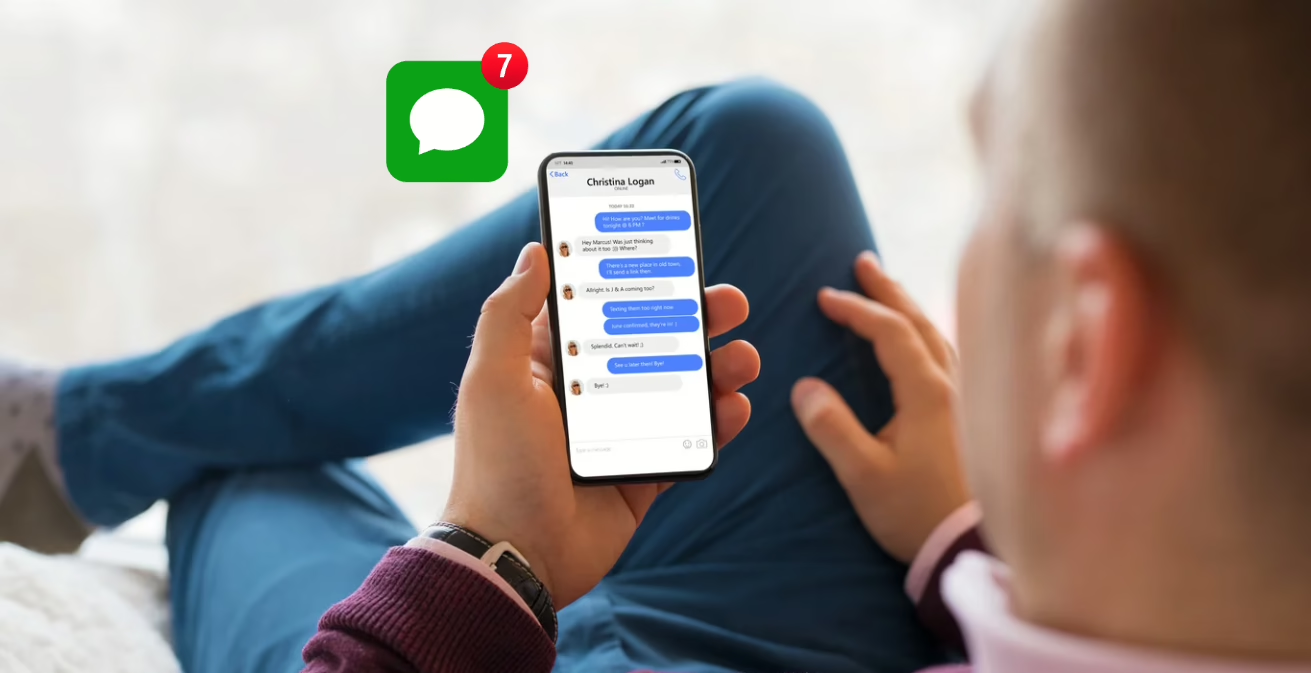
You send a message. Nothing comes back. No “Delivered” tag, no “Read.” Maybe the bubble’s green when it used to be blue. And now you’re left staring at your phone, wondering – did they block me?
Apple doesn’t exactly spell it out. There’s no pop-up or warning when someone blocks you on iMessage. But that doesn’t mean you’re left completely in the dark. There are a few signs you can look out for – some subtle, others more obvious – that might help you figure out what’s going on.
This isn’t about snooping or jumping to conclusions. Sometimes, the signs just help you stop overthinking. Let’s walk through what you can check, so you’re not left guessing.
iMessage Blocking: Why It’s Not So Obvious
Blocking someone on iMessage is designed to be private. Apple doesn’t notify the person being blocked, and there’s no error message when you try to text them. In fact, from your end, it often looks like the message was sent just fine.
That said, once you understand how iMessage behaves in normal situations, the sudden shift in how your messages are handled can be enough to raise suspicion. Still, it’s important not to jump to conclusions too quickly. Plenty of other things can interrupt message delivery – weak service, a dead battery, or even someone switching to Android.
Signs You Might Be Blocked on iMessage
This isn’t about one single red flag. It’s more about watching how multiple things change at once. If you notice a few of these signs happening together, there’s a higher chance you’ve been blocked.
1. Your iMessage Bubbles Turn Green
Normally, when you send an iMessage to another iPhone user, the message bubble is blue. That means it’s going through Apple’s iMessage servers.
But if you suddenly see green bubbles, that means your message is being sent as a regular SMS instead. That switch could mean a few things:
- The person’s iPhone is off or out of data range.
- They’ve turned off iMessage on their device.
- Or they’ve blocked you on iMessage.
If you were chatting normally over iMessage and suddenly all your messages start showing up in green, that’s worth noting. Still, green bubbles on their own don’t confirm anything.
2. No “Delivered” or “Read” Notification
This one’s trickier than it used to be. In earlier iOS versions, if someone blocked you, your messages would stop showing “Delivered” underneath. Now, with iOS 16.5 and later, Apple often still shows “Delivered” even if the message never reaches the other person.
That said, here’s what to look for:
- If you previously saw “Delivered” or “Read” under your messages and suddenly that disappears.
- Or if there’s consistently no status at all under your messages for days.
It could mean your messages are being blocked – or simply that the person turned off their Read Receipts, or has no signal. Like with most signs here, it’s all about patterns.
3. FaceTime Stops Working
If you’re blocked, FaceTime likely won’t work either. You might try to start a video call and get a vague error like “Cannot reach this person right now” or your call just never goes through.
This is one of the more useful clues because if someone just switched devices or lost service, FaceTime might still ring. If it’s completely unresponsive or fails every time, that could be another point in the “blocked” column.
4. Calls Go Straight to Voicemail
Try calling the person. If the phone rings once and then sends you straight to voicemail, it might be a block. You might also hear a generic message from the carrier saying the person is unavailable.
But again, keep in mind:
- Focus mode or Do Not Disturb settings can have the same effect.
- If the person’s phone is off or out of service, calls might behave similarly.
If you leave a voicemail, it’ll go to a separate folder marked “Blocked Messages” on the person’s device, which they probably won’t check.
5. You Can’t Bypass Focus Mode
Sometimes when someone uses Focus or Do Not Disturb mode, iOS will let you know. You’ll see a small moon icon and a message like “[Contact] has notifications silenced.”
If you’re on their allowed list (like friends or family), you can often still break through Focus mode by tapping “Notify Anyway.”
But if:
- You don’t see the Focus notification when you previously did
- And you can’t seem to reach them in any way
..there’s a decent chance you’ve been blocked, especially if other signs are present too.
What You Should Not Rely On
There are a few “signs” floating around online that aren’t actually reliable. Here’s what you should take with a grain of salt:
- The moon icon alone: It just means they’ve silenced notifications, not that you’re blocked.
- Green bubble panic: Seeing green bubbles once in a while is normal. It can happen when someone’s in a low-signal area or their battery dies.
- Voicemail behavior: Going straight to voicemail isn’t unique to blocking. It can happen for many reasons.
Last Resort: Call From Another Number?
If it’s urgent or you’re genuinely concerned about the person’s safety, some people try calling or texting from another number. But be careful. This can come across as invasive or pushy, especially if someone has intentionally stopped contact.
If you do go this route, here’s how to do it respectfully. Use a friend’s number and explain the situation honestly. Keep the message short and polite. Only try once.
And if you don’t get a response even then? It’s time to respect the boundary and let go.
What If You’re Just Being Ignored?
Here’s the thing: Being ignored and being blocked can look almost identical from your end. Not everyone replies quickly. Some people forget. Others simply ghost without using the actual block button.
If the person hasn’t responded in a while, and the signs are mixed, it’s possible they’re just not interested in continuing the conversation.
And that’s hard, but it’s also not the same thing as a technical block.
Recap: What to Look For
If you’re trying to piece it all together, here’s a quick summary of things that might indicate you’ve been blocked:
- Message bubbles switched from blue to green.
- No “Delivered” or “Read” tags (especially if they were there before).
- FaceTime and calls don’t go through.
- You can’t bypass Focus mode.
- Similar signs across other apps.
You don’t need all of these to suspect a block. But if three or more show up together, it’s probably not a coincidence.
Final Thoughts
No one wants to be blocked. It feels personal, even if it’s not meant that way. But the reality is, people set boundaries in different ways, and sometimes that means cutting off contact without warning.
If you notice the signs and you’re pretty sure you’ve been blocked, take it as your cue to move forward. Not everything needs a response. Not every silence needs closure.
Sometimes, the most respectful thing you can do is give space, and focus your energy on people who do reply.
FAQ
Can someone block me on iMessage but still receive SMS texts?
Blocking a contact on an iPhone stops both iMessage and SMS messages from that number. Your phone may fall back to SMS (green bubbles), but those messages won’t reach the person either.
Does “Not Delivered” always mean I’m blocked?
No. A “Not Delivered” message usually points to a sending issue, not a block. It can happen when there’s no signal, a temporary network problem, or iMessage servers are having trouble. Being blocked doesn’t always trigger a clear error message.
If my messages say “Delivered,” can I still be blocked?
Surprisingly, yes. On newer iOS versions, messages may still show “Delivered” even if the other person never sees them. That’s why it’s important to look at the bigger picture instead of relying on one sign alone.
Does the moon icon in iMessage mean someone blocked me?
No. The moon icon simply means the person has Focus or Do Not Disturb turned on. It’s a notification setting, not a block. If the icon disappears later and messages still don’t go through, that’s when it’s worth paying closer attention.
Will the person know I tried to call or text after they blocked me?
They won’t get notifications for your calls or messages. If you leave a voicemail, it goes into a separate blocked folder on their phone, which they may never check unless they look for it on purpose.
What’s the clearest way to tell if I’ve been blocked on iMessage?
There isn’t a single perfect test. The clearest answer usually comes from seeing several signs at once – messages changing to green, calls failing, FaceTime not connecting, and similar behavior across other apps. When multiple things line up, it’s rarely a coincidence.