
So, you’ve tried Audible, maybe even enjoyed a few audiobooks, but now it’s time to move on. Whether it’s to take a break or cut down on subscriptions, canceling Audible shouldn’t be a guessing game. The good news? You don’t need to jump through hoops or deal with long phone calls.
In this guide, we’ll walk you through how to cancel your Audible membership from different platforms, what happens to your audiobooks and credits, and a few things to know before you hit “confirm.” If you’re on the fence, we’ll also touch on a way to pause your subscription instead. Let’s keep it simple.
Do You Lose Everything After Canceling Audible?
The short answer: no, not everything. But there are a few key things you do lose, and knowing what stays can help you make a better decision.
What you keep:
- Any audiobooks you bought with a credit or payment card.
- The ability to re-download owned audiobooks anytime.
- Your Audible account itself (it doesn’t disappear after canceling).
What you lose:
- Any unused credits from your current plan (unless you act before canceling).
- Access to the Plus Catalog (the “included titles” that stream like a library).
- Member discounts and other perks tied to active subscriptions.
If you’ve collected credits over time and haven’t used them yet, you’ll want to spend those before canceling. Once the cancellation takes effect at the end of your billing period, those unused credits vanish.
Can You Cancel Audible Without Losing Credits?
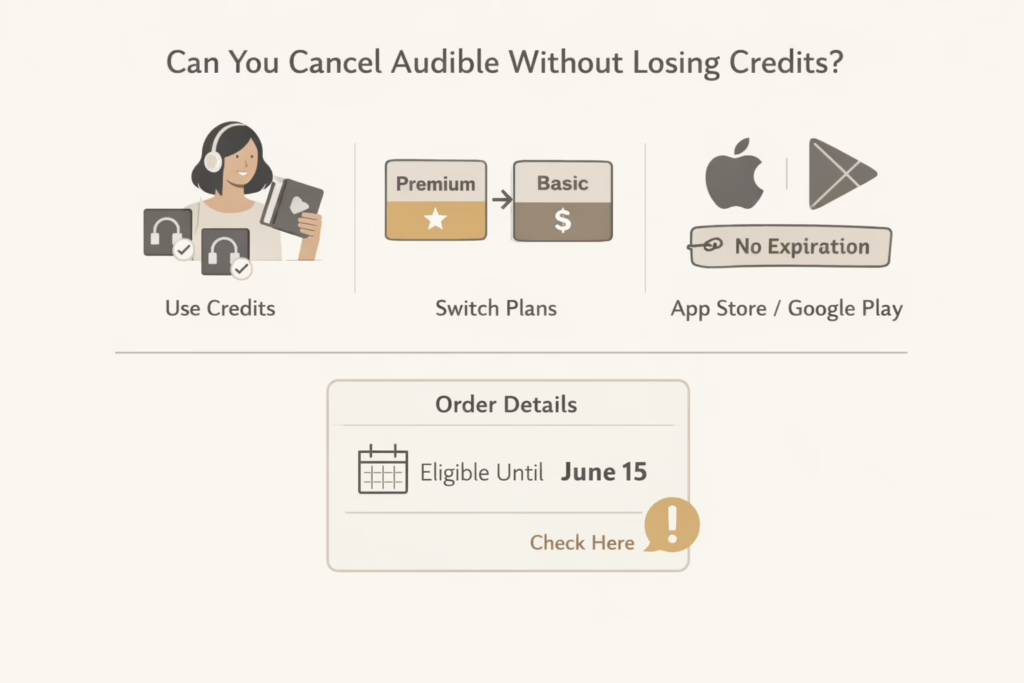
Technically, no. Once the membership ends, any remaining credits from most plans disappear. However, there are a few workarounds.
Use Your Credits Before Canceling
The easiest way to avoid losing anything is to spend your remaining credits before canceling. Once you redeem them for audiobooks, those titles are yours for good. Even after your membership ends, you’ll still be able to listen, download, and re-download those purchases anytime.
Switch Plans Instead of Quitting
If you’re thinking about canceling but still want to hold onto your credits a bit longer, switching from Audible Premium Plus to Audible Plus might be a smarter move. You won’t get new credits under the cheaper plan, but you can keep the ones you already have – just be aware that their expiration dates still apply.
App Store and Google Play Credits Don’t Expire
If you subscribed through the Apple App Store or Google Play, there’s some good news: any credits you received through those platforms won’t expire, even after cancellation. You’ll still see them in your account and can use them anytime. This policy only applies to plans billed through Apple or Google, not those managed directly through Audible.com.
The Smart Move: Pause Instead of Canceling (If You’re Not Sure)
Not ready to say goodbye but want to stop being billed? Audible lets some users pause their membership for a set time instead of fully canceling. This option is handy if:
- You have too many audiobooks to catch up on.
- You want to avoid new charges for a while.
- You don’t want to lose any credits.
Pausing your membership freezes billing and benefits temporarily, but you keep your credits and get to resume when you’re ready.
To pause:
- Visit the Account Details page on Audible.com (desktop browser only).
- If eligible, you’ll see an option to “Pause Membership.”
- Select the duration and confirm.
This isn’t available for everyone, but it’s worth checking before committing to cancel.
Step-by-Step: How to Cancel Audible from the Website
If you signed up directly through Audible.com, the cancellation process is straightforward – but it only works through a desktop browser, not the app.
Here’s how:
- Go to Audible.com and log into your account.
- Click your name or profile at the top right and select Account Details.
- Scroll down to find Cancel Membership.
- Audible will ask you a few questions and offer some deals to stay.
- Click Continue Canceling until you see the final confirmation screen.
- You’ll receive a cancellation email once it’s done.
Take your time here. Audible will likely offer a discount, bonus credit, or free month if you’re on the fence. You can accept it or continue canceling.
How to Cancel Audible if You Subscribed via Apple or Google Play
If you subscribed to Audible using your Apple ID or Google account (via iPhone or Android), the cancellation must be done through the respective store. Audible can’t cancel it for you.
Cancel through the App Store (Apple):
- Open the Settings app on your iPhone.
- Tap your name at the top.
- Choose Subscriptions.
- Find Audible in the list.
- Tap Cancel Subscription and confirm.
Cancel through the Google Play Store:
- Open the Google Play Store on your Android device.
- Tap your profile icon, then Payments & Subscriptions.
- Select Subscriptions.
- Choose Audible and hit Cancel Subscription.
- Follow the prompts to confirm.
You’ll still have access until the end of the current billing cycle. Just like with website cancellations, titles you’ve purchased are safe.
What Happens After You Cancel
Once your final billing cycle ends, here’s what to expect:
- You keep all purchased audiobooks. These are tied to your account, not your subscription.
- You lose any unused credits, unless you’re on an Apple/Google-billed plan where credits don’t expire.
- The Plus Catalog (streaming content included with some memberships) becomes unavailable.
- You can still log in, buy audiobooks, and use the Audible app – just without member perks.
You’ll also get a confirmation email from Audible, and your account status will reflect the cancellation.
Can You Still Buy Audiobooks After Canceling?
Yes, you can still buy audiobooks – you just won’t get the monthly credit or member discounts. All future purchases will be at standard pricing unless you resubscribe.
If you’re still actively listening but don’t want the monthly plan, this option keeps things flexible. Just be aware that audiobook prices without a membership can be a bit higher.
What About Refunds?
Audible doesn’t have a clear-cut refund policy for unused membership time. Once you’re charged, that payment is final. There’s no refund if you forget to cancel or don’t use your credits.
That said, if you were recently billed and haven’t listened to anything yet, it’s still worth contacting Audible customer support. While refunds aren’t guaranteed, support may be able to help depending on your situation. Just don’t wait too long, your chances are better if you reach out soon after the charge.
Common Mistakes to Avoid When Canceling Audible
Before you go, here are a few things people often overlook:
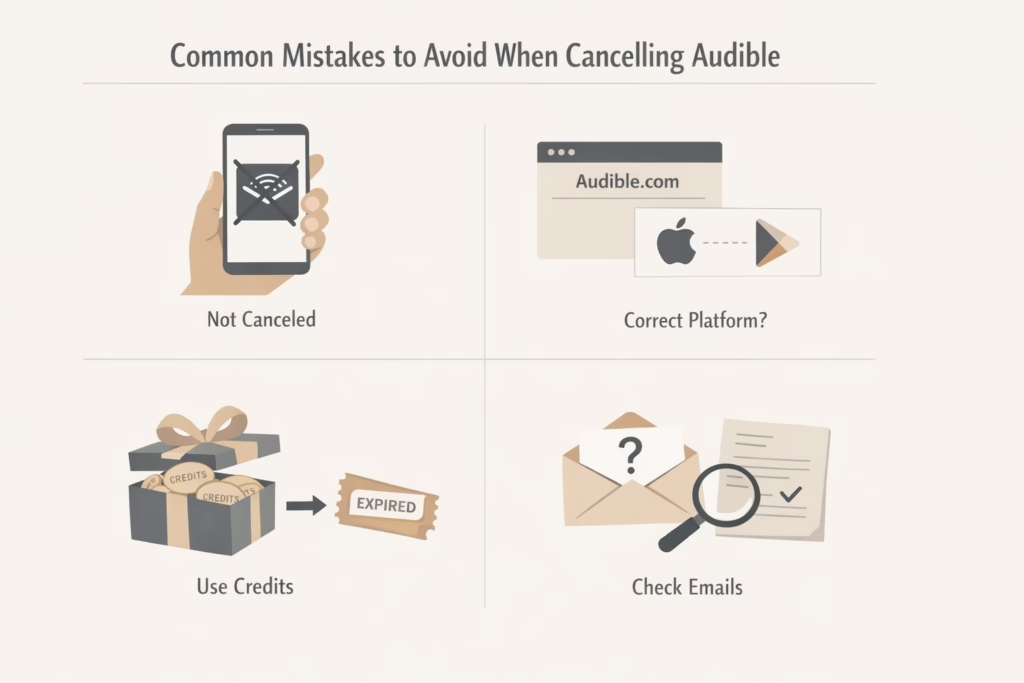
- Don’t delete the app thinking that cancels the membership: It doesn’t.
- Make sure you cancel on the right platform: Audible.com can’t cancel Apple or Google-based subscriptions.
- Use your credits before canceling: Seriously. Once they’re gone, they’re gone.
- Look out for emails offering deals or confirmations: If you didn’t get one, check your account again – the cancellation might not have gone through.
Final Thoughts
Audible makes it pretty easy to cancel, as long as you know where to look. The main risk is forgetting about your unused credits or assuming you’ll still have access to Plus titles. Once you understand what sticks around and what disappears, you can cancel (or pause) with no surprises.
Whether you’re cutting back on subscriptions or just need a break from audiobooks, you’re not locked in forever. And if you change your mind later? You can always come back and pick up where you left off.
FAQ
1. Can I cancel Audible from the app?
Not really. You can’t fully cancel your membership from the Audible app itself, whether you’re using iOS or Android. If you subscribed through Apple or Google, you’ll need to go into your phone’s Subscriptions settings to cancel. If you signed up on Audible.com, you’ll have to use a desktop browser. Deleting the app doesn’t do anything to stop your billing.
2. Will I lose my audiobooks after canceling?
No, the books you’ve already purchased are yours to keep. Even if you use a monthly credit to buy them, they stay in your library. You can listen anytime, re-download them if needed, and they won’t disappear just because your subscription ends. The only thing you’ll lose is access to the streaming catalog (Plus Catalog) and any credits you didn’t use.
3. How do I keep my credits when canceling Audible?
The most reliable way is to use all your credits before canceling. Once your billing period ends, any leftover credits usually disappear. If you’re switching to a different Audible plan (like from Premium Plus to Audible Plus), your credits may stay active for a while, but they still expire eventually. Credits from Apple or Google-based plans don’t expire, so those are an exception.
4. Can I pause Audible instead of canceling?
In some cases, yes. Audible lets certain members pause their subscription for a set number of months. During that time, billing is paused, and you won’t lose your credits. It’s a good middle-ground if you just want a break without losing your perks. You’ll find the pause option under Account Details, but it’s only available on the desktop site, not mobile.
5. How do I know my cancellation actually went through?
After completing the steps, you should see a cancellation confirmation page and receive an email. If you don’t get the email or your account still shows as active, it’s possible the process didn’t finish. Log back in and check your membership status under Account Details to be sure.