

Thinking of canceling your Factor Meals subscription? Whether you’re switching plans, cutting costs, or just tired of pre-made meals, it’s good to know exactly how to cancel without any last-minute surprises. The process is pretty straightforward, but only if you do it right and on time. This guide breaks it all down, no fluff, just the steps you actually need.
Should You Pause Instead of Cancel?
Before you go ahead and cancel, it’s worth knowing that you don’t have to shut everything down completely. Factor gives you the option to pause your deliveries instead. That means you can skip a week or two without losing your settings or having to set up your account again later. It’s a solid choice if you’re out of town, trying something else for a bit, or just want a break from heat-and-eat meals.
Here’s how to skip a week if you’re on the website:
- Log into your account
- Go to the week you want to skip
- Click Edit Delivery
- Then choose Skip Week when the pop-up shows up
If you’re using the mobile app, follow these steps:
- Open the Factor app and log in
- Navigate to the correct week
- Tap the three dots beside the delivery date
- Hit Skip Week
But remember: you have to skip before the weekly cut-off, which is at 11:59 PM (PT) five days before your scheduled delivery. Miss that, and the order is locked in – canceling won’t stop it.
How to Cancel Factor Meals (the Right Way)
So you’ve decided to go all in and cancel. Fair enough. The good news? Factor lets you cancel without jumping through hoops. But you do need to follow the process closely to make sure it actually goes through and avoid extra charges.
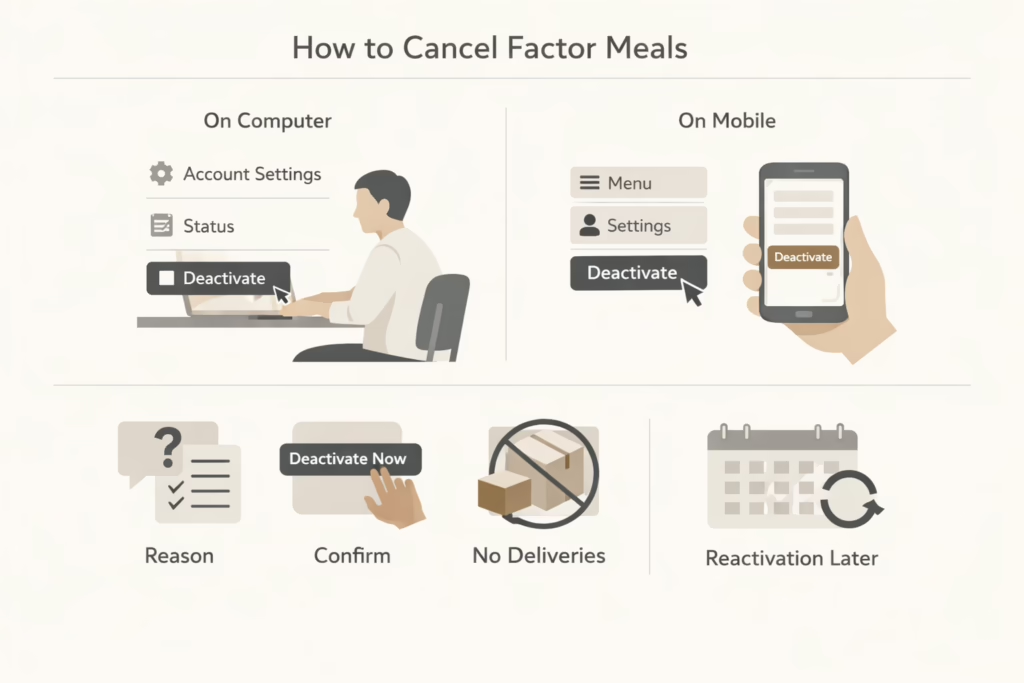
If you’re on a computer or browser:
- Log in at FactorMeals in your region
- Head to your Account Settings or Plan Settings
- Scroll down to the Status section
- Click Deactivate My Plan
- Follow the prompts (they might ask why you’re canceling)
- Click Deactivate Now to finish the process
If you’re using the mobile app:
- Open the app and log into your account
- Tap the menu icon (three lines) in the top right
- Go to Settings > Personal Information
- Scroll down and tap Continue to deactivate
- Select your reason and hit Deactivate Now
Once canceled, your deliveries will be skipped indefinitely. You can always reactivate the subscription later, but unless you do, no more meals should show up at your door.
Deadlines Matter
This is the part a lot of people miss: canceling too late still means you get (and pay for) your next box. Just like skipping a week, you need to cancel at least five days in advance, by 11:59 PM PT, to avoid being charged for the upcoming delivery.
That’s because Factor sends orders to their kitchen team ahead of time, and once they start prepping your meals, there’s no turning back.
A Few Practical Tips
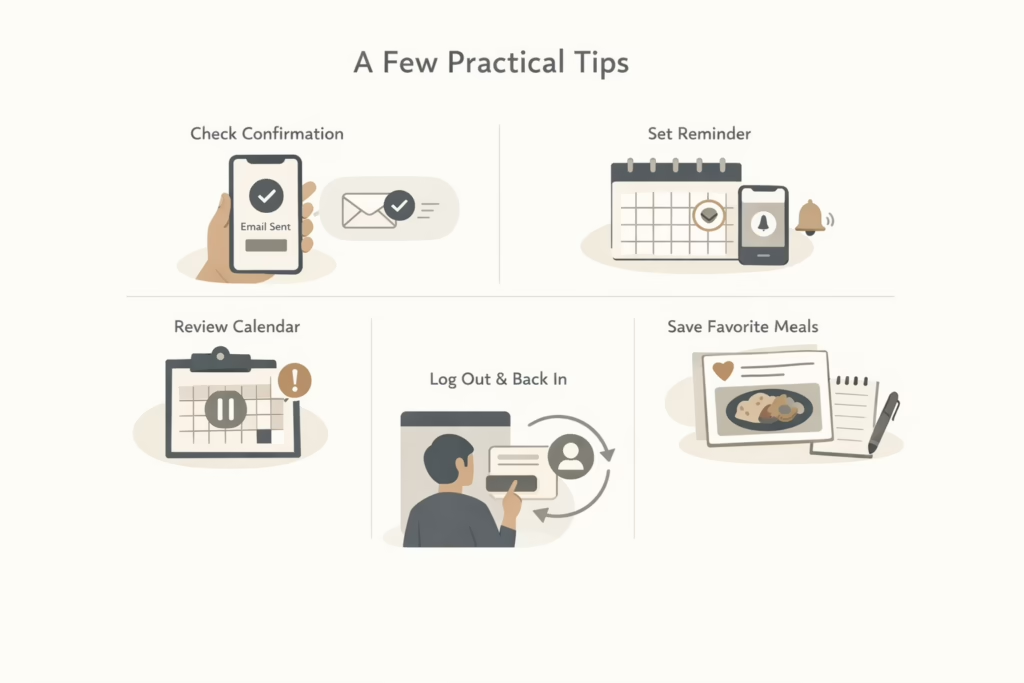
Want to make sure everything actually sticks? These small steps can save you from surprise charges, missed cancellations, or starting over from scratch later.
- Double-check your cancellation: After you hit “cancel,” look for a confirmation message on the screen and in your email. If you don’t see one, there’s a chance the cancellation didn’t go through.
- Set a reminder: Life gets busy. Drop a calendar reminder or phone alert about 6 or 7 days before your next delivery or cancel altogether without running into the cut-off deadline.
- Review your delivery calendar: Even if you paused your plan, take a quick look at your upcoming weeks. Sometimes a week might stay active if the pause was done last minute or if the app glitched.
- Save your favorite meals: If there’s any chance you’ll come back to Factor in the future, write down the meals you liked best. Their menu changes regularly, so that dish you loved might be gone or renamed by the time you return.
- Log out and back in: It sounds silly, but this can help update your account view after a cancellation or skip. You want to make sure your dashboard reflects the change.
These little checks only take a minute or two, but they can help you avoid stress, lost money, or missing out on meals you actually wanted.
What Happens After You Cancel?
Canceling doesn’t delete your account or your meal history. Your preferences, old orders, and account settings will still be there if you come back. You won’t lose access to your login or app unless you go out of your way to fully delete your account (which is a different process).
You also won’t get billed again unless you reactivate. That said, it’s smart to check your bank account after a week or two, just in case something slips through. If a charge appears and you’re sure you canceled on time, Factor’s customer service is generally responsive.
Want to Try Something Else First?
Factor’s cancellation process is simple, but they do try to keep you around. Before canceling, you can:
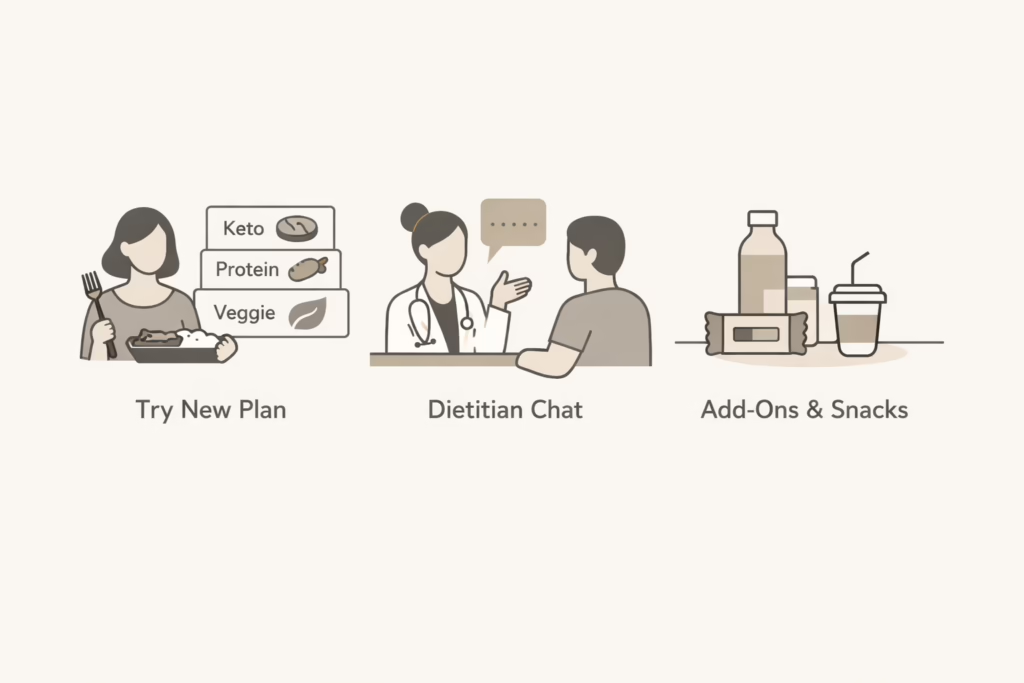
Try a Different Meal Plan
Sometimes it’s not the service that’s the problem, it’s the plan. If you’ve been sticking with the same meal type for a while (like Chef’s Choice), switching things up could help. Factor offers several plans like Keto, Protein Plus, Calorie Smart, and even vegetarian options. Each one comes with a different menu lineup, so a quick switch could refresh your experience without needing to cancel.
Book a Free Dietitian Chat
Before canceling, you might want to take advantage of the free 20-minute consultation Factor offers with a registered dietitian. It’s not a sales pitch – it’s a legit chance to get some personal guidance on meal choices, portion sizes, or how to make the most of your plan based on your goals. If you’re on the fence about whether Factor still works for you, this could be worth a shot.
Explore Add-Ons Like Snacks and Juices
If it’s not the meals that are the issue but more the overall routine, you could check out Factor’s extras. They’ve got cold-pressed juices, protein snacks, and smoothies that don’t require a full meal plan commitment. You might find that trimming down to just add-ons works better for your needs, especially if you’re not ready to cancel everything.
If you’re canceling because you’re bored or want something different, these tweaks might help. But if you’re sure you’re done, no need to overthink it – just follow the steps and move on.
Final Thoughts
Canceling Factor Meals isn’t a big deal, but timing is everything. If you cancel after the weekly cut-off, you’re still on the hook for one more box. Do it early, check that it went through, and you’re in the clear.
And if you decide to come back later? Your account will be waiting for you – no judgment, no mess.
FAQ
1. Can I cancel Factor Meals anytime?
Yes, you can cancel whenever you want. Just make sure you do it before the weekly cutoff. If you cancel after that point, the next delivery may already be locked in and you will still be charged for it.
2. What happens if I miss the cancellation deadline?
If you miss the deadline, Factor will still send your next box and charge you for it. Once meals are in production, they cannot stop the order. The cancellation will apply to future deliveries only.
3. Is pausing the same as canceling?
Not exactly. Pausing skips one or more weeks, while canceling deactivates your plan completely. Pausing is useful if you are traveling or just need a short break. Canceling makes more sense if you do not plan to use the service again anytime soon.
4. Will I lose my account if I cancel?
No. Canceling stops deliveries, but your account stays active. Your past orders and preferences are saved in case you decide to come back later. You can reactivate without setting everything up again.
5. Can I cancel Factor Meals through the app?
Yes, you can cancel through the app, but the steps are a bit buried. You will need to go into settings, then personal information, and follow the deactivation steps. Always check for a confirmation message when you are done.
6. Do I get a refund if I cancel?
Usually, no. If an order has already passed the cutoff and entered processing, Factor does not offer refunds for that box. This is why timing matters more than anything when canceling.