
Canceling FuboTV isn’t hard, but it can be confusing if you don’t remember how you signed up. Some people subscribe through the website, others through Apple, Google Play, or Roku, and that detail changes everything. Click the wrong menu, and you’ll go in circles.
This guide walks through the real cancellation paths that actually work. No fluff, no sales pressure. Just clear steps, a few things worth knowing before you cancel, and how to double-check that the subscription is truly gone.
First Things First: How You Signed Up Matters
Before touching any cancel button, you need to know where your subscription lives.
FuboTV does not manage cancellations for subscriptions billed through Apple, Google Play, or Roku. If you signed up through one of those platforms, FuboTV cannot cancel it for you, even if you contact support.
Here is a quick way to check:
- Go to fubo.tv/account and sign in.
- Open your account or subscription details.
- Look at the billing section.
If you see a next billing date and payment details directly from Fubo, you signed up on the Fubo website.
If it says Apple, Google Play, or Roku subscription, you must cancel through that service instead.
Once you know this, everything else becomes much easier.
Canceling FuboTV If You Signed Up on the Website
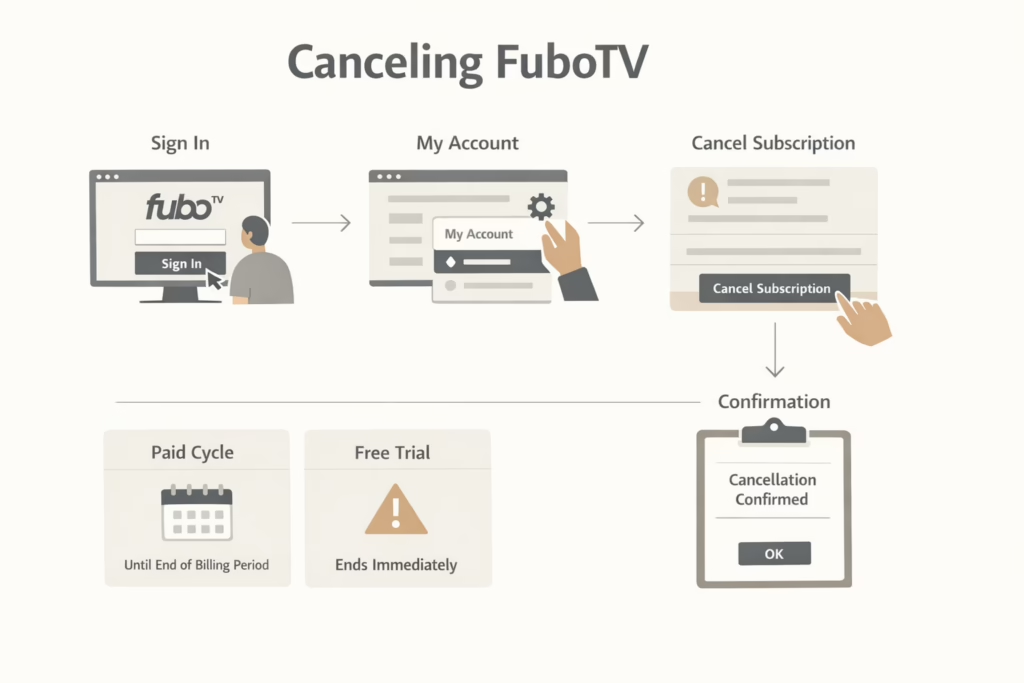
This is the most straightforward case and also the one most people expect. If you created your account directly on fubo.tv, you can cancel right there.
Step-by-Step Process
- Sign in to your FuboTV account on a desktop or laptop browser.
- Choose a profile if prompted.
- Click the settings icon and open My Account.
- Select the Subscription section.
- Scroll to the bottom of the page and click Cancel Subscription.
At this point, FuboTV may show you an offer to stay. This could be a discount or a reminder of upcoming games. Your subscription is not canceled until you move past this screen.
To complete the cancellation, select Cancel Subscription again and confirm your choice.
You should see a confirmation message indicating that your subscription is set to end. Dismiss the page only after you see this confirmation.
What to Expect Afterward
If you cancel during a paid billing cycle, your access continues until the end of that period. There are no partial refunds. The account simply stops renewing.
If you cancel during a free trial, access ends immediately and the trial does not continue.
Canceling FuboTV on iPhone or iPad
If you signed up through the Apple App Store, the FuboTV website will not let you cancel. This is one of the most common sources of confusion.
Apple manages the billing, and the cancellation has to happen inside your Apple account.
How to Cancel on iOS
- Open the Settings app on your iPhone or iPad.
- Tap your name at the top of the screen.
- Select Subscriptions.
- Find FuboTV in the list.
- Tap Cancel Subscription and confirm.
Your subscription remains active until the end of the current billing period unless you are still in the free trial.
A Quick Note on Apple Billing
Even if you delete the FuboTV app, the subscription stays active until you cancel it through Apple. Removing the app alone does nothing to stop billing.
Canceling FuboTV on Android
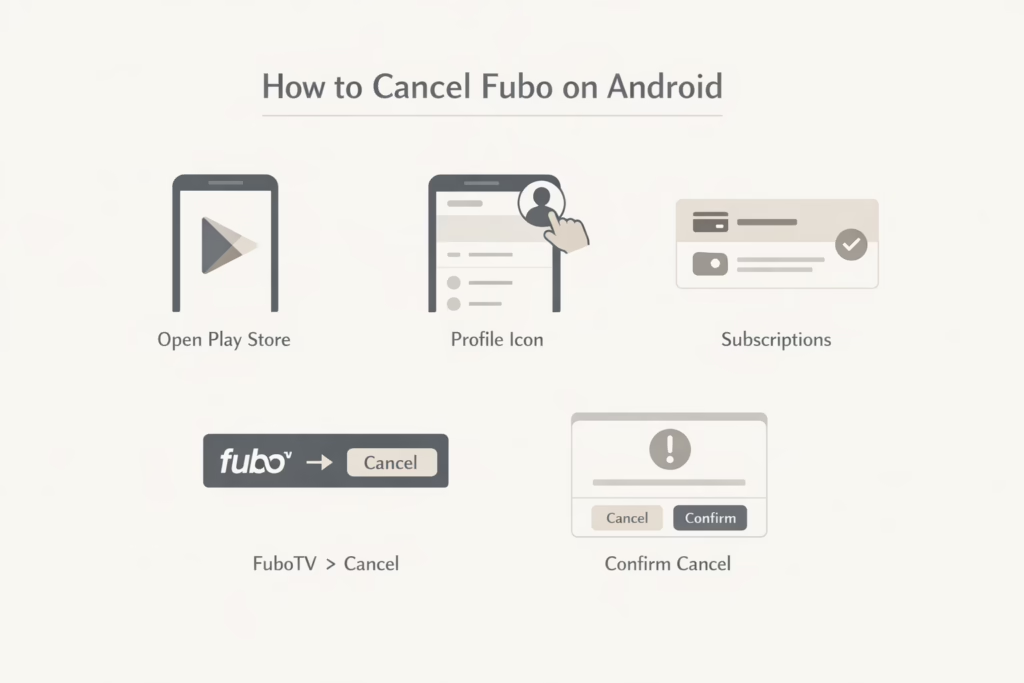
Android users who subscribed through Google Play need to cancel through their Google account. Just like with Apple, the FuboTV app itself cannot handle this.
How to Cancel Through Google Play
- Open the Google Play Store app.
- Tap your profile icon in the top right corner.
- Go to Payments and subscriptions.
- Select Subscriptions.
- Find FuboTV and tap Cancel subscription.
- Follow the on-screen confirmation steps.
Once canceled, access continues until the end of the billing cycle unless you are still within the free trial window.
Canceling FuboTV Through Roku
Roku subscriptions are managed entirely through your Roku account. If you signed up using a Roku device, you have two ways to cancel.
Option One: Cancel Online
- Go to my.roku.com and sign in.
- Open your subscriptions list.
- Find FuboTV.
- Click Unsubscribe.
- Confirm by selecting Yes, Unsubscribe.
After cancellation, you may see a Renew option instead of Unsubscribe. This means the cancellation was successful and the service will end after the current period.
Option Two: Cancel on Your Roku Device
- Press the Home button on your Roku remote.
- Highlight the FuboTV channel on the home screen.
- Press the star button to open options.
- Select Manage subscription.
- Choose Cancel subscription.
- Confirm the cancellation and select Done.
Roku shows the date when access will end, which is useful for double-checking.
Not Sure Where You Subscribed? Here Is How to Tell
If you genuinely do not remember how you signed up, do not guess.
Log into your account at fubo.tv/account. The billing source is clearly listed in your account details. This page tells you exactly where to go next.
Trying to cancel in the wrong place will not damage your account, but it will waste time and cause frustration.
How to Confirm That Your FuboTV Subscription Is Canceled
Canceling and assuming it worked is risky. Always take a moment to confirm, especially if you are trying to avoid another charge.
If Your Subscription Is Scheduled to End
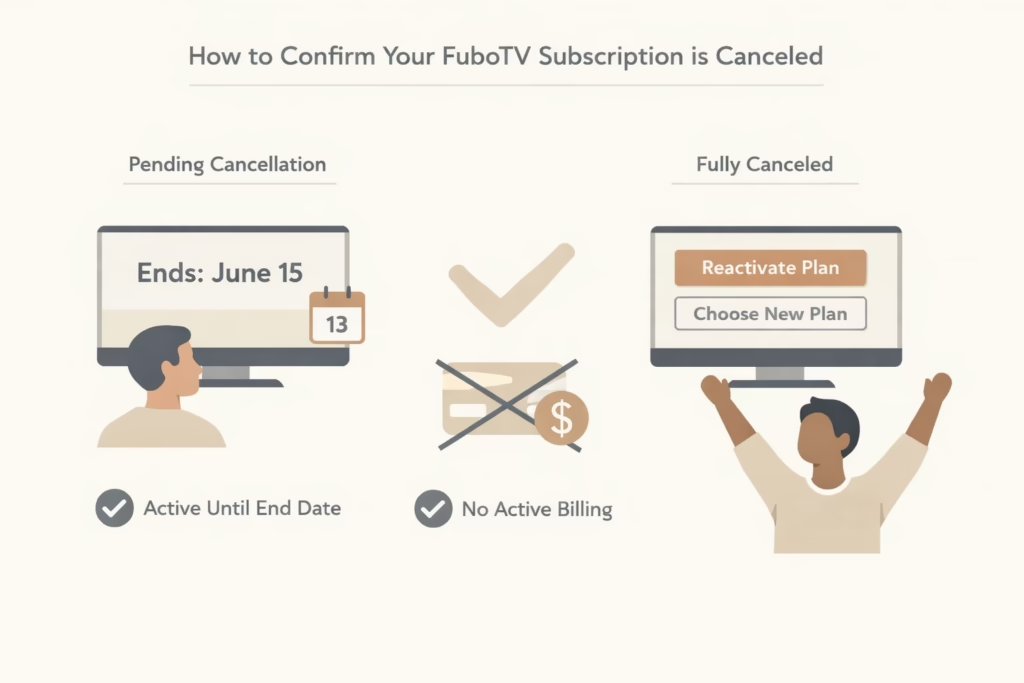
After canceling, your account should show a clear termination date on the Subscription or Account Information page. This means the cancellation went through, billing will stop, and you will keep access until that date. As long as you see an end date listed, the subscription is not renewing.
If Your Subscription Is Fully Canceled
Once your access period has ended, your account will no longer show active billing details. Instead, you will see options to reactivate or choose a new plan. This is a good sign and confirms that the subscription is fully canceled.
Simply logging in to check your status does not restart anything. Billing only resumes if you actively select a plan and confirm payment, so you can safely check without worrying about reactivation.
What Happens After You Cancel
This is where expectations matter.
- No partial refunds: FuboTV does not refund unused days. Canceling only prevents the next renewal, and access continues until the end of the current billing period.
- Free trials end immediately: If you cancel during a free trial, access stops right away. The trial does not continue, and you cannot restart it later.
- DVR recordings are removed: Once your subscription officially ends, all cloud DVR recordings are deleted. If there is anything you want to watch, make sure to do it before access expires.
Pausing Instead of Canceling
Not everyone wants to close the door completely. Sometimes you just know you will not be using FuboTV for a while, but you also know you will come back. In those cases, canceling can feel unnecessary, especially if you have profiles, preferences, and settings already in place.
FuboTV offers a pause option that lets you stop billing for up to three months while keeping your account intact. During the pause, you are not charged, and nothing is deleted. This works well if you are between sports seasons or taking a short break. Keep in mind that pausing is not available for every billing method, so the option may or may not appear in your account depending on how you subscribed.
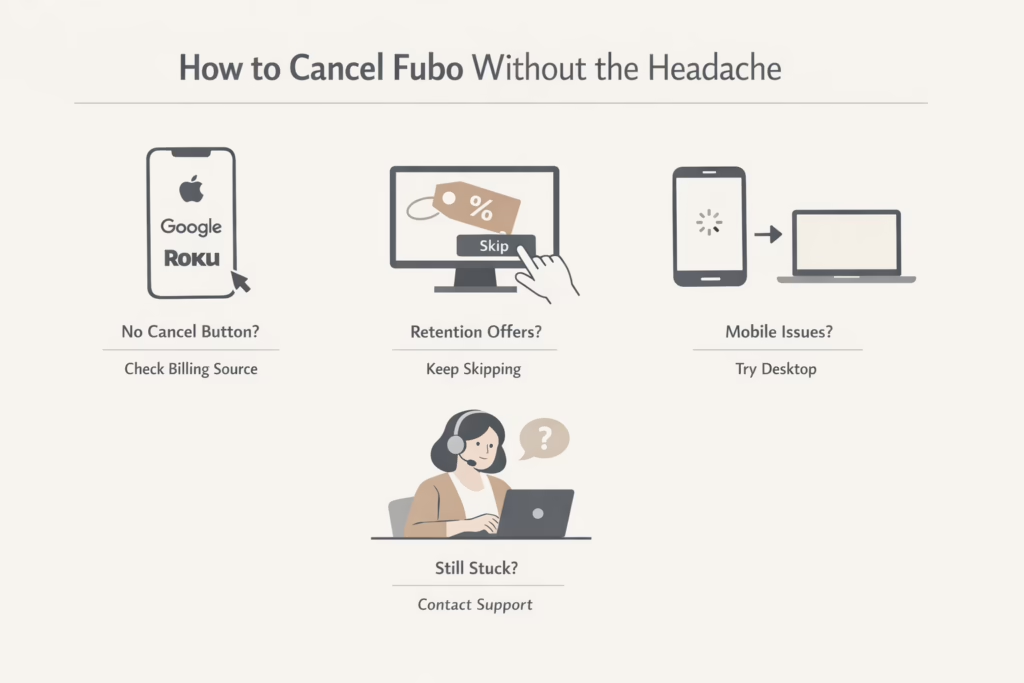
Common Problems and How to Fix Them
- The cancel button is missing: This usually means you subscribed through a third party like Apple, Google, or Roku. Check the billing source listed in your account and cancel through that service instead.
- The page keeps offering discounts: FuboTV may try to keep you with a retention offer. Skip the discounts and continue until you reach the final confirmation screen. The subscription is not canceled until you see that confirmation.
- Mobile browser issues: Mobile browsers can be unreliable. If a page does not load or buttons do not respond, switch to a desktop or laptop browser and try again.
- Nothing seems to work: If you are stuck, contact FuboTV support through live chat. Let them know how you signed up and ask them to confirm your cancellation status. They may not cancel third-party subscriptions for you, but they can point you in the right direction.
Timing Your Cancellation the Smart Way
If you want to get the most out of what you have already paid for, timing matters. Canceling shortly after a renewal date gives you almost a full billing cycle of access without worrying about another charge sneaking in. It is a simple move that removes a lot of pressure.
Waiting until the very last day can backfire. You might forget, run into login issues, or hit a technical problem at the worst moment. Setting a reminder a few days before your renewal date is an easy way to stay in control and avoid unnecessary stress.
Final Thoughts
Canceling FuboTV does not require tricks or special timing. It just requires going to the right place and following the steps all the way through.
The biggest mistake people make is stopping halfway or canceling in the wrong system. Take two minutes to confirm how you subscribed, and the rest falls into place.
If you ever decide to come back, your account can be reactivated easily. Until then, knowing how to cancel cleanly means one less subscription quietly draining your budget.
That peace of mind alone is worth the effort.
FAQ
Can I cancel FuboTV at any time?
Yes. You can cancel your FuboTV subscription at any point. There are no long-term contracts. Once you cancel, your access continues until the end of the current billing period, unless you are still in a free trial.
Will I get a refund if I cancel early?
No. FuboTV does not offer partial refunds for unused days. Canceling simply stops the next renewal. You keep access for the remainder of the billing cycle you already paid for.
What happens if I cancel during a free trial?
If you cancel while still in a free trial, access ends immediately. The trial does not continue until its original end date, and you will not be eligible for another free trial later.
Why can’t I find the cancel option in my FuboTV account?
This usually means you did not sign up directly on the FuboTV website. If you subscribed through Apple, Google Play, or Roku, you must cancel through that platform. FuboTV cannot cancel third-party subscriptions for you.
Does deleting the FuboTV app cancel my subscription?
No. Deleting the app does not stop billing. You must cancel the subscription through the platform where you signed up, such as the Fubo website, Apple subscriptions, Google Play, or Roku.