
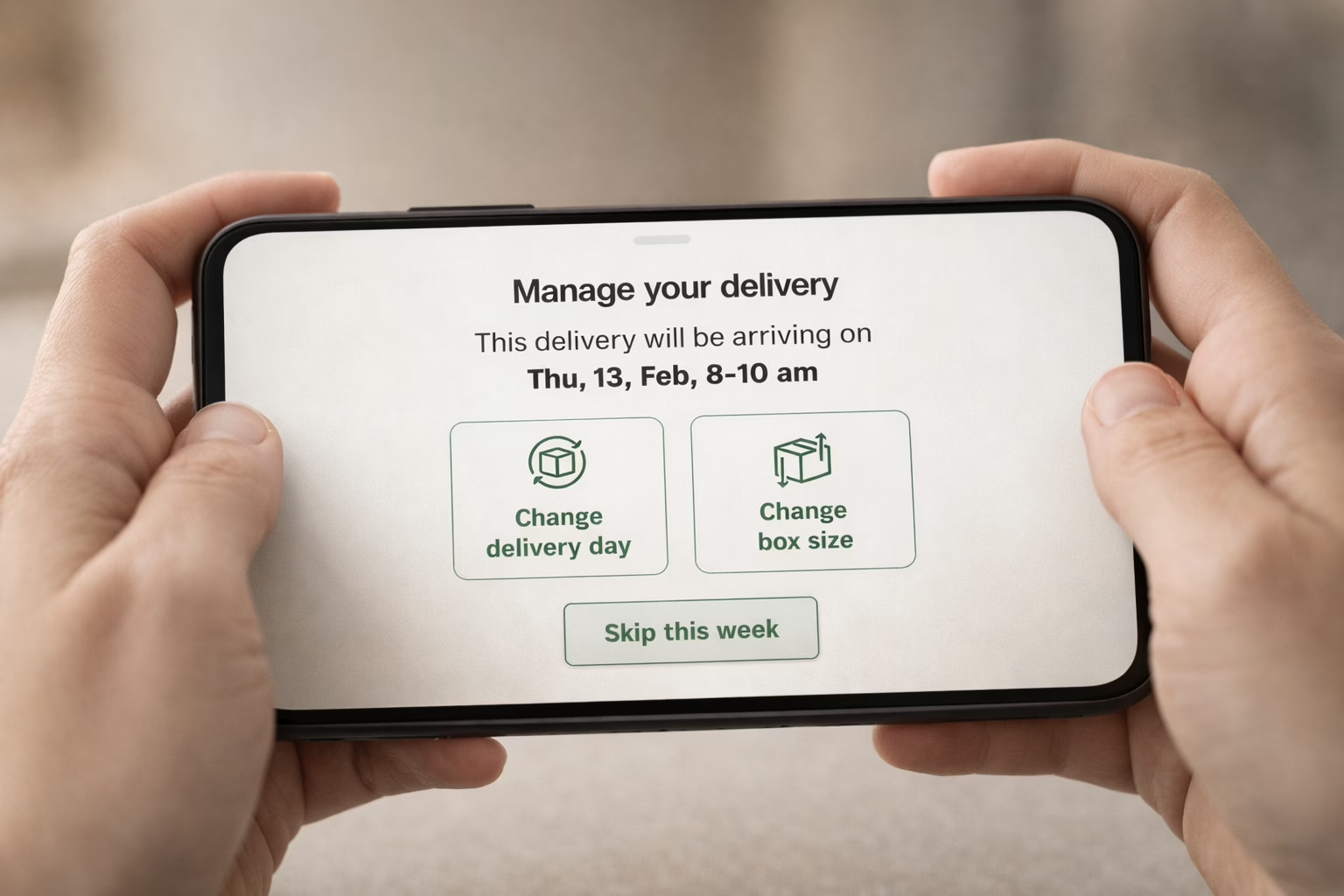
HelloFresh can be great when life’s busy and you don’t feel like grocery shopping. But if your plans have changed or the boxes just keep piling up, it might be time to hit pause or cancel altogether. The good news is, ending your subscription isn’t complicated. You just need to know when to do it and where to find the cancel button. This quick guide covers the steps, the timing, and a few things to watch out for so you’re not stuck paying for meals you didn’t mean to order.
Why People Cancel HelloFresh (And It’s Totally Fine)
First off, there’s no guilt in canceling. Most people who sign up for HelloFresh love it in the beginning, but it’s not designed to work for every household forever. Some of the most common reasons people hit that cancel button:
- The schedule gets too busy for regular cooking.
- Ingredients pile up faster than they get used.
- Budget changes make it harder to justify weekly boxes.
- You’re just tired of deciding between tacos and flatbreads again.
- Travel plans or seasonal changes mess with delivery timing.
Whatever your reason is, it’s valid. You’re allowed to move on.
Know This Before You Cancel
HelloFresh has a very specific cancellation cutoff time. Miss it, and you’re getting one more box whether you want it or not.
Here’s what you need to remember. You must cancel or pause by 11:59 PM Pacific Time, five days before your next scheduled delivery. This applies even if you haven’t received a confirmation email yet. If you wait too long, HelloFresh will charge your card and prep your box anyway.
Pro tip: always check your delivery calendar first. Even if you pause your plan, it’s possible some weeks are still active if you didn’t skip them manually.
Step-by-Step: How to Cancel Your HelloFresh Subscription
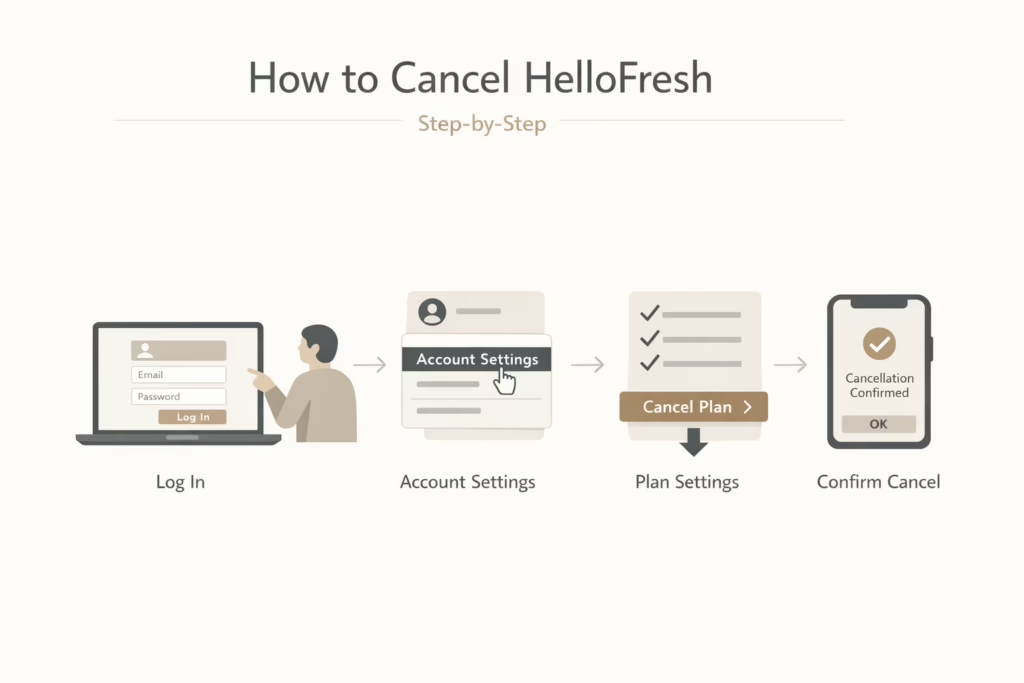
Canceling is fairly straightforward, but HelloFresh doesn’t make the “Cancel Plan” button front and center. Here’s how to find it:
- Log into your HelloFresh account on the website (the app does not support direct cancellation, but you can access the website through it if needed).
- Click your name or profile icon in the top-right corner.
- Select ‘Account Settings’ from the dropdown.
- Scroll down to the ‘Plan Settings’ section.
- Find the ‘Status’ row and click ‘Cancel Plan’.
- Follow the prompts; they’ll probably ask why you’re leaving and might offer you a discount to stay.
- You’ll get a confirmation message once your cancellation goes through. Keep it for reference.
That’s it. Once it’s canceled, you shouldn’t see any new charges unless you reactivate the plan.
How to Skip a Week Instead
If you’re not ready to cancel but just want a break, HelloFresh gives you the option to skip upcoming deliveries.
Here’s how: go to ‘My Menu’ when logged in. Then choose the week you want to skip. Finally, click ‘Skip Week’ under that delivery.
You can skip as many future weeks as you want, as long as you do it before the cutoff. It’s a good middle ground if you’re unsure about canceling completely.
Common Pitfalls to Avoid
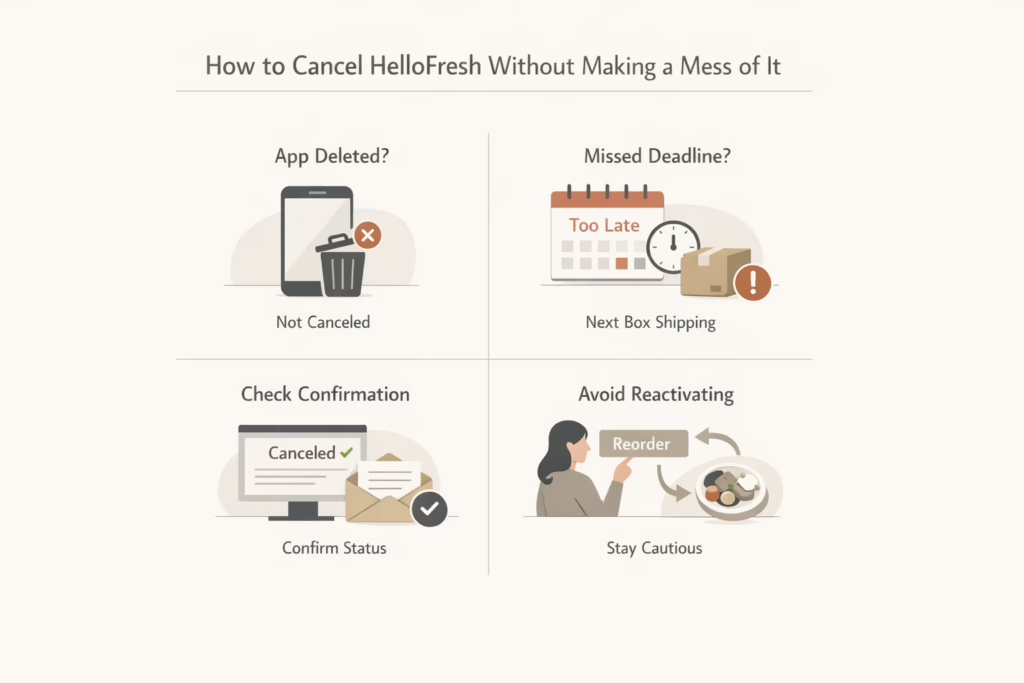
Canceling HelloFresh sounds simple, but a few missteps can still land a box (and a charge) at your door. Here’s how to avoid that unwanted surprise.
Deleting the App Isn’t Enough
Uninstalling the HelloFresh app doesn’t cancel your subscription. Everything is managed through your account on the website. Unless you go through the proper cancellation steps, deliveries will keep coming.
Missed the Cutoff? Too Late
HelloFresh has an early deadline – 11:59 PM Pacific Time, five days before your next delivery. If you cancel after that, the next box is already in the works, and they won’t be able to stop it (or refund it).
Always Look for Confirmation
Don’t assume you’re done just because you clicked a few buttons. After canceling, wait for the confirmation message or email. You can also double-check your Plan Status in your account to make sure it says “canceled.”
Be Careful When Browsing
It’s surprisingly easy to accidentally reactivate your plan. Clicking on a promo or selecting meals sometimes triggers a renewal. If you’re not ready to restart, steer clear of those buttons.
Alternatives to Canceling: Things You Might Try First
Sometimes, canceling isn’t your only option. If you’re open to adjusting your plan instead of stopping it entirely, HelloFresh gives a few other choices.
You can:
- Switch your meal plan (e.g., from Meat & Veggies to Veggie or Quick & Easy).
- Change delivery frequency (fewer recipes per week).
- Use the “skip” feature to pause for travel or busier months.
- Reach out for a discount – sometimes customer support offers deals if you’re on the edge.
That said, if none of this fixes your main issue, canceling is still the cleanest route.
What Happens After You Cancel?
Once your plan is canceled:
- You can still log into your account.
- You’ll no longer receive deliveries or be charged.
- Your profile and history will remain in case you return later.
- You won’t get “Free Breakfast for Life” or any legacy promos if you come back.
Heads-up: canceling ends any perks tied to your active subscription, but they may still appear in your account if you return.
A Few Extra Tips (From People Who’ve Been There)
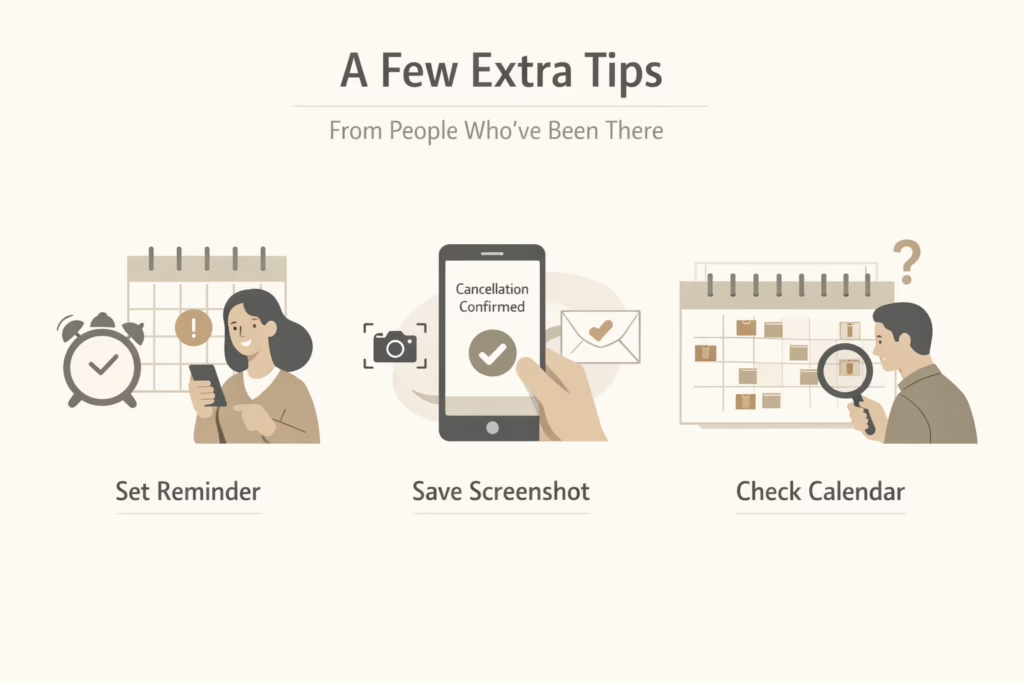
Even if you follow all the main steps, a little extra effort can save you from unexpected charges or headaches later. These small moves come straight from folks who’ve been through the process and wished they’d done things differently the first time.
1. Set a Calendar Reminder
HelloFresh works on a weekly schedule, and those cutoffs can sneak up fast. Set a recurring reminder on your phone a few days before your usual delivery day. That way, if you’re thinking of canceling or skipping a box, you’ll have time to act before the deadline passes.
2. Screenshot Your Cancellation
Once you hit that final “cancel” button, take a screenshot of the confirmation screen. Or, save the confirmation email if one shows up. It’s not that HelloFresh is trying to trick you – it’s just smart to have proof in case something goes wrong or you need to talk to support.
3. Double-Check the Calendar
After canceling, go back to your “My Menu” or delivery calendar and look over the next few weeks. If you ever signed up for multiple plans (like family size vs. two-person meals), or added extras like desserts or Market items, you’ll want to make sure everything really stopped.
What If You Change Your Mind?
Let’s say you cancel and later decide you want to give HelloFresh another shot. You can log in anytime and reactivate your plan. But remember:
- Your old promos may not come back.
- You’ll be treated as a returning user, not a new one.
- If you’re hoping for a deal, try reaching out to support first.
Final Thoughts
Canceling HelloFresh isn’t complicated, but you do need to be careful with the timing. As long as you cancel before the cutoff and get that confirmation, you should be in the clear. The trick is to not leave it until the last minute.
Whether you’re switching to a different meal service, going back to DIY grocery lists, or just taking a break from pre-chopped onions, it’s your call. This guide is here to help you do it without any mix-ups or mystery charges.
FAQ
1. Can I cancel HelloFresh right after my first box?
Yes, you can cancel at any time. There’s no contract holding you in. But make sure you cancel before the weekly cutoff or you’ll still be charged for the next box. If you just signed up for a deal like “10 free meals,” you might forfeit the rest of that promo once you cancel.
2. Is skipping a week the same as canceling?
Nope. Skipping a week just pauses one delivery. Your subscription stays active, and if you forget to skip again, the boxes (and charges) will resume. Canceling stops everything until you decide to reactivate.
3. Where do I find the cancel button?
It’s buried a little. You’ll need to go to your Account Settings, scroll to Plan Settings, and click “Cancel Plan” under the Status section. Don’t just remove your payment info or delete the app – those won’t cancel your plan.
4. What happens if I miss the cancellation deadline?
If it’s past 11:59 PM PT five days before your scheduled delivery, that week’s box is locked in. You’ll be charged, and they’ll ship it. There’s no refund for that box, even if you cancel right after.
5. Will I get a refund if I cancel in the middle of the week?
Not if the cutoff has passed. HelloFresh works on a rolling schedule, so timing matters. You won’t get money back for orders already processed or in transit.
6. Can I reactivate later if I change my mind?
Absolutely. You can log in and restart your plan whenever. Just don’t expect past deals or promos to still apply. Most of the time, those are one-time offers.
7. How do I make sure my cancellation actually went through?
You should see a confirmation screen after the final step. HelloFresh usually emails you too. If you’re unsure, log back in and check your Plan Status. If it still shows “active,” the cancellation didn’t work.