

Canceling Xfinity is not complicated, but it is rarely as simple as clicking one button. The process depends on how your service is set up, whether you are under contract, and what equipment you have on file. Miss one detail and you can end up with extra charges, delayed cancellations, or a final bill that makes no sense.
This guide walks through how canceling Xfinity actually works today. Not the sales version. Not the support script. Just the practical steps, what to expect when you contact them, and the small things that matter if you want the cancellation to stick without problems later.
Before You Cancel Xfinity: What to Check First
Before contacting Xfinity at all, take a few minutes to review your account. This step saves time and often saves money.
Check if You Are Under Contract
Many Xfinity plans come with a promotional contract, often lasting one or two years. Canceling early usually triggers an early termination fee. The standard fee is $10 for each remaining month on the contract.
You can find this information by signing into your Xfinity account and reviewing your plan details or customer agreement. If you are not sure, ask a representative directly before you proceed.
Review Your Billing Cycle
Xfinity now provides prorated final bills. This means if you cancel in the middle of a billing cycle, you will be credited for the remaining days you didn’t use, and your final statement will reflect only the active service period.
List the Equipment on Your Account
Most Xfinity customers rent equipment such as modems, routers, TV boxes, or voice devices. Every rented device must be returned, and missing items lead to hefty charges.
Log into your account and write down exactly what equipment is assigned to you. Do not rely on memory.
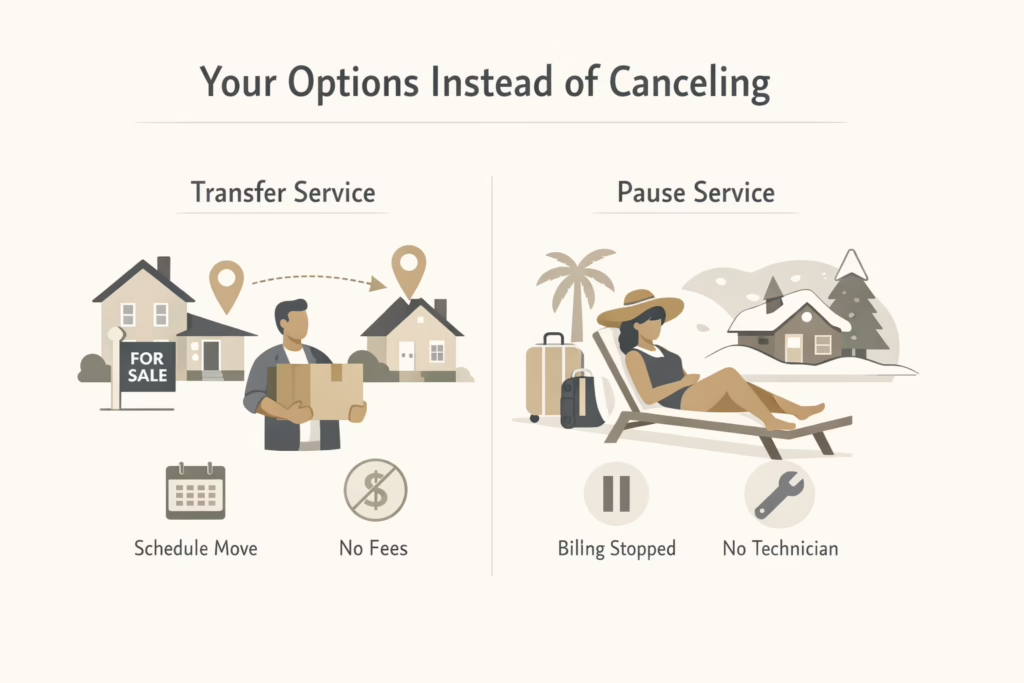
Your Options Instead of Canceling
Canceling is not always the best move. Xfinity offers alternatives that sometimes solve the problem without closing the account.
Transferring Service When You Move
If you are moving, you may be able to transfer your Xfinity service to your new address instead of canceling. This often avoids early termination fees.
You can schedule a transfer up to 30 days in advance. If there is a gap between move-out and move-in dates, Xfinity typically does not charge for the downtime.
Pausing Service Temporarily
Xfinity allows seasonal pauses, which can be useful for snowbirds, vacation homes, or extended travel. During a pause, billing stops, and no technician visit is required.
This option is not available for every plan, but it is worth asking before canceling completely.
Ways to Cancel Xfinity
Xfinity allows cancellations through three main channels. All of them work, but the experience varies.
1. Canceling Xfinity Online
Online cancellation is available for some customers and usually starts with an online cancellation form or chat.
You sign in to your account, initiate a cancellation request, and may be prompted to confirm details through chat. This method is convenient and gives you a written record of the interaction, which is valuable later.
That said, not every account qualifies for full online cancellation. If the option is missing, you will need to call or visit a store.
2. Canceling Xfinity by Phone
Calling Xfinity is still the most common cancellation method.
Dial 1-800-934-6489. When the automated system answers, say “cancel service” clearly. This usually routes you to a retention or account specialist.
Expect questions. They may ask why you are canceling and may offer discounts or alternative plans. You are not required to accept any offers. Stay polite, firm, and clear.
Before ending the call, ask for a confirmation number or written confirmation sent by email.
3. Canceling Xfinity in Person
You can cancel service by visiting an Xfinity store or Comcast service center.
This method works well if you also need to return equipment. Bring a photo ID and all rented devices with you. Once the cancellation is processed, ask for printed confirmation.
In-person cancellations are often faster and reduce the chance of miscommunication.
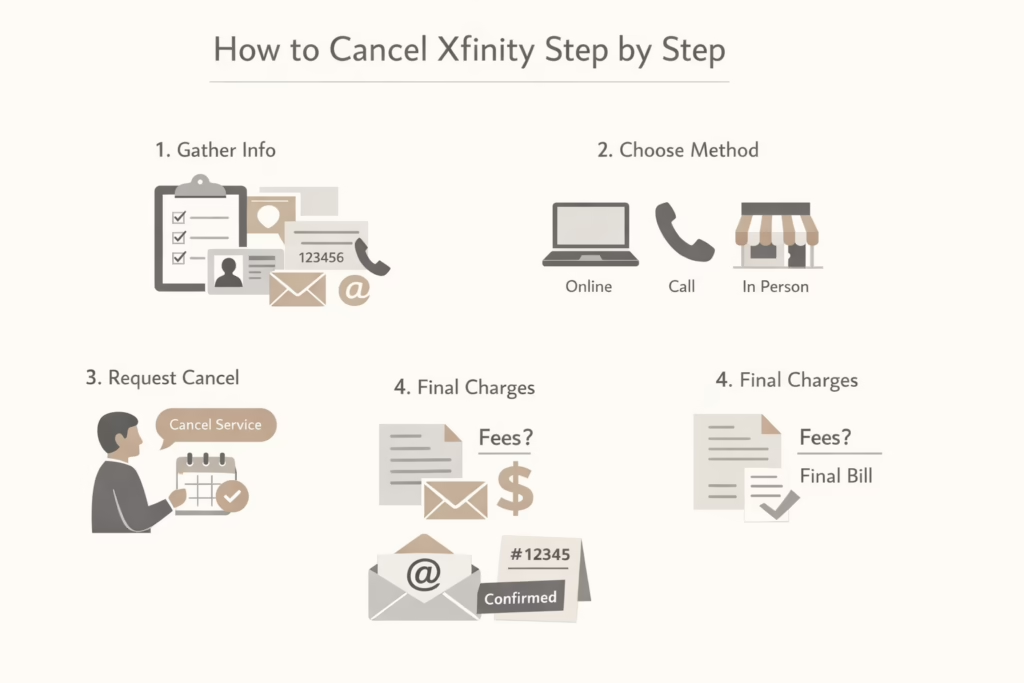
Step-by-Step: How to Cancel Xfinity
Here is the full process laid out clearly.
Step 1: Prepare Your Account Information
Have these details ready:
- Account holder name
- Service address
- Account number
- Contact phone number or email
This avoids delays once you speak to a representative.
Step 2: Choose Your Cancellation Method
Decide whether you will cancel online, by phone, or in person. Pick the option that fits your situation and comfort level.
Step 3: Clearly Request Cancellation
Be direct. Say you want to cancel your Xfinity service and specify the effective date if needed. If you want service to continue until the end of the billing cycle, say so.
Step 4: Ask About Final Charges
Confirm whether early termination fees apply and ask when your final bill will be issued. This prevents surprises.
Step 5: Get Confirmation
Always request confirmation. Email is best, but a confirmation number also works. Save it.
Returning Xfinity Equipment the Right Way
Equipment returns are one of the most common sources of post-cancellation charges. Handle this carefully.
You have several options:
- Drop off equipment at an Xfinity store
- Return equipment at a UPS Store using Xfinity’s free return program
- Use a prepaid shipping label provided by Xfinity
Returning equipment in person and getting a receipt is the safest option.
Always keep the receipt or tracking number. Store it digitally and physically. Xfinity billing errors do happen, and proof makes disputes easier.
Understanding Your Final Xfinity Bill
After you cancel Xfinity, you will receive a final bill, usually within the next billing cycle. This bill often includes your last month of service, any remaining balance from your contract, and equipment-related charges if something was not returned or not processed correctly. In many cases, the amount looks higher than expected simply because Xfinity does not prorate service and charges for the full billing period.
If something on the bill does not look right, do not wait. Contact Xfinity support as soon as possible and reference your cancellation confirmation along with any equipment return receipts or tracking numbers. Having documentation makes a big difference. Incorrect charges rarely disappear on their own, and the longer they sit unpaid, the harder they are to resolve cleanly.
Can You Cancel Xfinity for Free?
In some cases, yes.
You may avoid early termination fees if:
- You are out of contract
- You transfer service instead of canceling
- Xfinity cannot provide service at your new address
- A representative agrees to waive the fee after review
Fee waivers are not guaranteed, but polite persistence sometimes works.
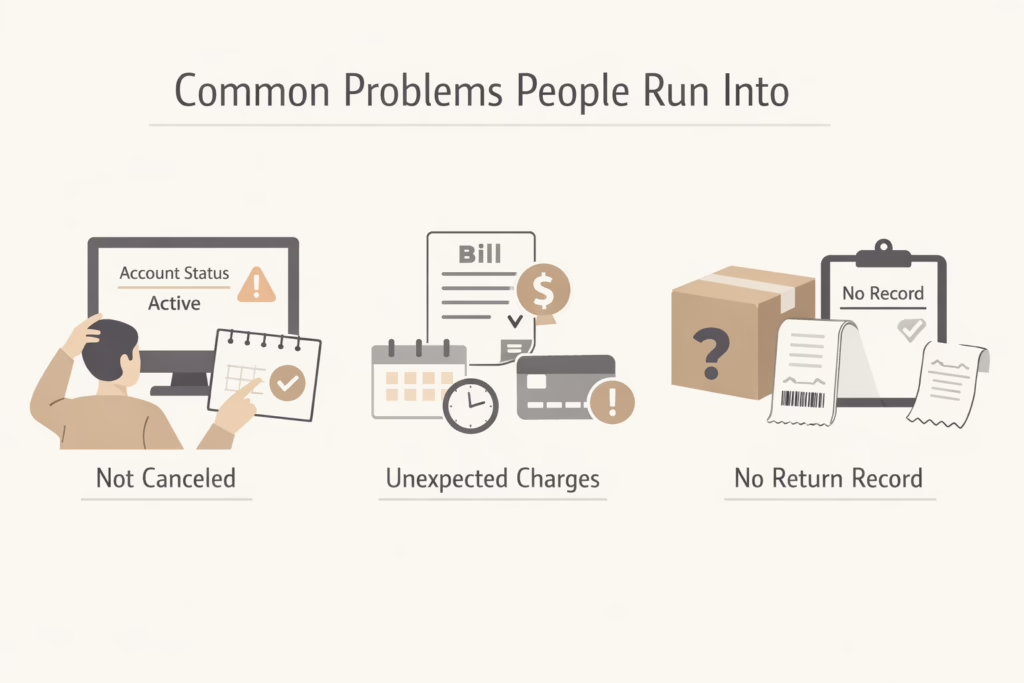
Common Problems People Run Into
The Cancellation Did Not Process
In some cases, a cancellation request goes through a call or chat but never fully closes the account. This can happen if the request was scheduled for a future date or if part of the process was left unfinished. Always check your Xfinity account after canceling to confirm the service status shows as canceled. If you do not see clear confirmation, follow up immediately rather than assuming everything is done.
Charges Continue After Cancellation
Ongoing charges are one of the most common complaints. They are often tied to billing cycle timing or equipment that has not been marked as returned yet. Even a short delay in processing can trigger another charge. If this happens, contact Xfinity support with your cancellation confirmation and return receipts. Clear documentation usually speeds up resolution.
Equipment Return Disputes
Equipment issues almost always come down to missing proof. If Xfinity cannot see a returned modem or TV box in their system, they may charge for it even if you sent it back. This is why keeping receipts, tracking numbers, or store return confirmations is essential. Without proof, disputes are much harder to win.
Final Thoughts
Canceling Xfinity is not difficult, but it does require attention to detail. The company gives you several ways to cancel, but the responsibility still falls on you to confirm everything is done correctly.
Check your contract. Time your cancellation. Return equipment properly. Save documentation.
If you do those things, the process is straightforward. Skip them, and the experience becomes much more annoying than it needs to be.
Frequently Asked Questions
Can I cancel Xfinity online without calling?
In some cases, yes. Xfinity allows certain customers to start the cancellation process online through their account or live chat. However, not all accounts qualify for full online cancellation. If the option is not available, you will need to call Xfinity or visit a store.
What is the phone number to cancel Xfinity?
You can cancel Xfinity by calling 1-800-934-6489. When prompted by the automated system, clearly say “cancel service” to reach the correct department.
Does Xfinity charge a cancellation fee?
Xfinity may charge an early termination fee if you are under contract. The standard fee is $10 for each remaining month on the contract. If you are out of contract, there is usually no cancellation fee.
Can I cancel Xfinity for free if I am moving?
Moving does not automatically waive cancellation fees. However, if Xfinity does not offer service at your new address, you may be able to cancel without an early termination fee. In many cases, transferring service instead of canceling is the cheaper option.
Can I choose my cancellation date?
Yes. You can request a specific cancellation date, often aligned with the end of your billing cycle. This helps avoid paying for an extra month since Xfinity generally does not prorate service.